Chrome Extension: In-Page AI Redactor
The Browser AI Shield: Native Redaction for ChatGPT & Claude
AI Summary / Key Takeaways
"Free Chrome extension that automatically scrubs PII inside ChatGPT, Claude, and Gemini before submission. Zero cloud leaks, runs 100% in local browser RAM."
Enterprise-Grade AI Privacy
Add custom redaction rules and priority support with PRO.
Interactive PII Detection & Sanitization Sandbox
Test real-time client-side RAM tokenization. Choose a specialized preset or paste your own raw prompt to test instant reversible redaction.
Sanitized locally in volatile RAM. Pre-prompt compliance maintained under Browser AI Shield standards (GDPR, HIPAA, SOC 2).
The Challenge with AI Data Workflows
Employees circumvent centralized AI portals by using ChatGPT directly in their browser. Training them to copy-paste through a separate scrubbing tool leads to friction and inevitable compliance failures when they forget.
How It Works
Install Extension
Add the extension to Chrome. It natively integrates with 12 popular AI chat platforms (ChatGPT, Claude, Gemini, Copilot, etc.).
Live Interception
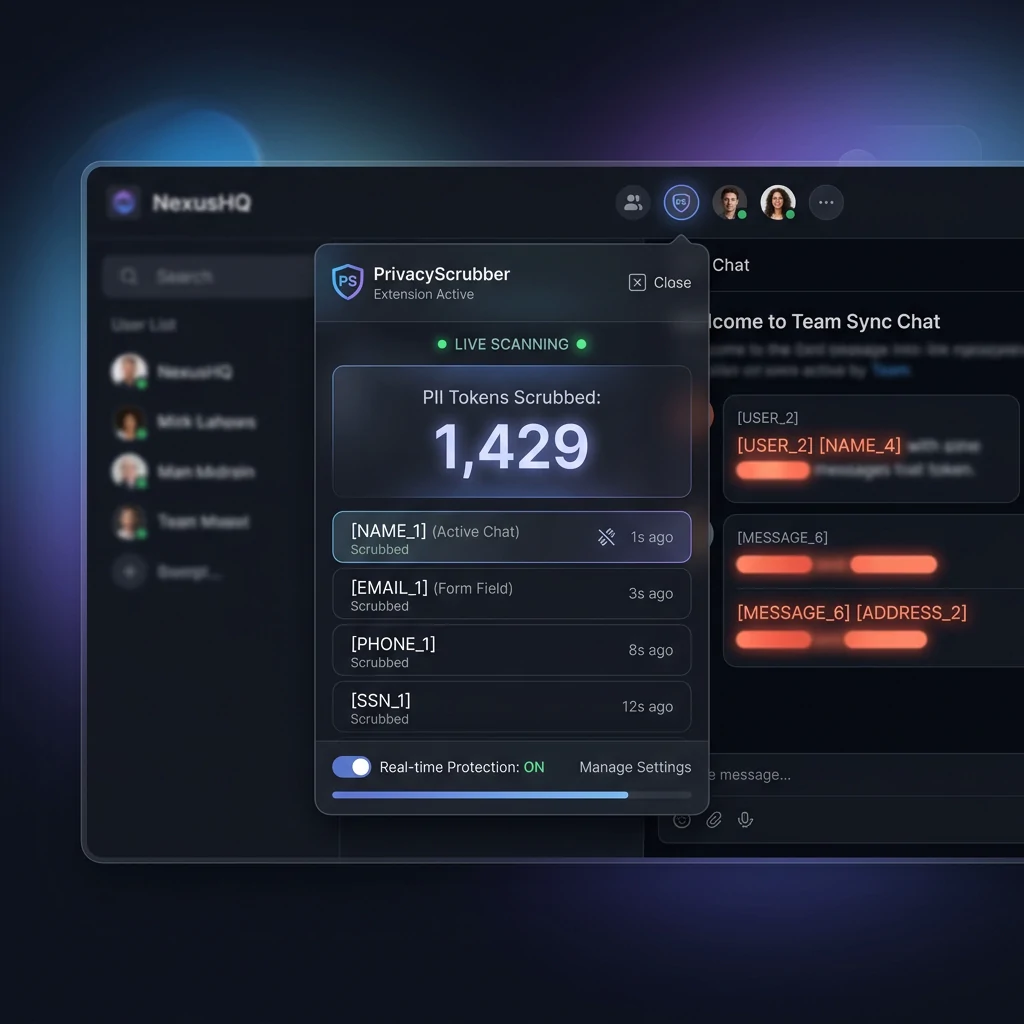
Automatically injects a security shield button directly into chat inputs. Monitors input fields to sanitize prompts in-place before submission.
Local Reveal
Restores original values directly inside the chat interface using a volatile, tab-isolated browser-session memory map.
Supported Formats & Limitations
Supported Formats
System Limitations
- Requires Chromium-based browser (Chrome, Edge, Brave, Arc)
- Scrubbing highly complex rich-text editors (like Google Docs) may strip specific formatting tags
- Cannot intercept requests made outside the browser environment
Chrome Extension Technical Architecture
The PrivacyScrubber Chrome extension brings the same zero-trust detection engine directly to 12 AI platforms. It uses Google Manifest V3 architecture — a content script model where all processing happens inside the browser tab's renderer process, with zero background server communication for PII data.
Supported AI Platforms
| Platform | URL | Injection Mode |
|---|---|---|
| ChatGPT | chat.openai.com | In-Page Shield + Floating Toolbar + Auto-Scrub |
| Claude | claude.ai | In-Page Shield + Floating Toolbar + Auto-Scrub |
| Gemini | gemini.google.com | In-Page Shield + Floating Toolbar + Auto-Scrub |
| Microsoft Copilot | copilot.microsoft.com | In-Page Shield + Floating Toolbar + Auto-Scrub |
| Grok, DeepSeek, Perplexity | x.ai, deepseek.com, perplexity.ai | In-Page Shield + Floating Toolbar + Auto-Scrub |
| Qwen, Kimi | aliyun.com, moonshot.cn | In-Page Shield + Floating Toolbar + Auto-Scrub |
| Zendesk, Notion, Slack | zendesk.com, notion.so, slack.com | In-Page Shield + Floating Toolbar + Auto-Scrub |
Interactive Feature & Workflow Guide
Explore the different ways the Chrome Extension secures your prompt pipeline. Click the tabs below to view detailed workflows and usage mockups.
Zero-Friction In-Page Sanitization
The extension automatically identifies prompt entry fields in your browser window and embeds a Privacy Shield badge directly beside them.
- Real-time Input Glow: Typing sensitive PII causes the textarea to glow with a yellow perimeter alert.
- In-Place Scrubbing: Click the shield button (or press
Alt+Shift+X) to immediately swap names and emails with anonymous tokens (e.g.[NAME_1]). The border glows green to confirm safety. - Automatic In-Place Reveal: When the AI responds, a floating overlay appears. Click Reveal to re-hydrate original identities in the browser DOM. No copy-paste required.
- PRO Feature: Quick-Switch Profiles: Hover over the injected shield button inside the chat field to switch between 30 specialized detection profiles (e.g. Legal, Finance, Medical, HR, DevOps) instantly. Changing profiles swaps rulesets in local memory.
TEAMS Session Handoff
The TEAMS feature allows one user to scrub a document and share the session state with colleagues so they can reveal AI outputs. The handoff package is encrypted with XChaCha20-Poly1305 using a key derived from the team's subscription ID via Argon2id (memory-hard KDF). The encrypted blob is shared via any channel (email, Slack, etc.). Only team members with the matching subscription ID can decrypt it.
For teams requiring a comprehensive AI security workflow across all platforms, see the secure AI pipeline guide which covers the full multi-tool workflow from document intake to AI output review.
Platform Architecture: Dynamic Selectors
PrivacyScrubber extends its remote selectors.json config to support new and evolving AI platforms without requiring a Chrome Web Store re-review: DeepSeek (chat.deepseek.com), Grok (x.ai/grok), Qwen (tongyi.aliyun.com), Kimi (kimi.moonshot.cn), ChatGPT, Claude, and Gemini. Each platform receives a validated textarea + submit-button selector.
New platforms are added via the GET /selectors.json remote config endpoint — cached 24h in chrome.storage.local. When a new AI site launches, the selector config is updated server-side; the extension picks up the change at next cache expiry with zero user action required.
Omnibox Integration
Type ps in the Chrome address bar and press Tab to open the PrivacyScrubber popup inline. Type a search term or paste text in the omnibox to pre-populate the scrubbing field without switching tabs. Uses the chrome.omnibox API with the registered keyword ps.
Client-Side ZTDS™ Execution & Conformance Verification
All PII detection and deterministic tokenization execute 100% inside local client memory — eliminating cloud proxies, external subprocessors, and network data egress.
Frequently Asked Questions
Technical Details & Privacy Architecture
Which AI platforms does the extension support?
How do I switch detection profiles inside the extension popup and input fields?
What keyboard shortcuts does the extension provide?
Where are extension session tokens stored?
Does the extension send any data to external servers?
How does the TEAMS session handoff (Patent Pending) work in the extension?
What features require a PRO license versus a TEAMS license?
What happens if my device has no internet access? Will the extension still redact?
How do custom regular expressions work in the extension?
How do we audit the extension to verify it isn't sending data to your servers?
Can we lock the settings so employees cannot turn off auto-scrubbing?
What is the refund policy for the PRO and TEAMS licenses?
Protect Your Team's AI Prompts in Under 30 Seconds
Add PrivacyScrubber directly to your browser for seamless in-page masking.
