Industry-Specific Detection Profiles
Context-Aware Sanitization: 30 Sector-Specific Profiles
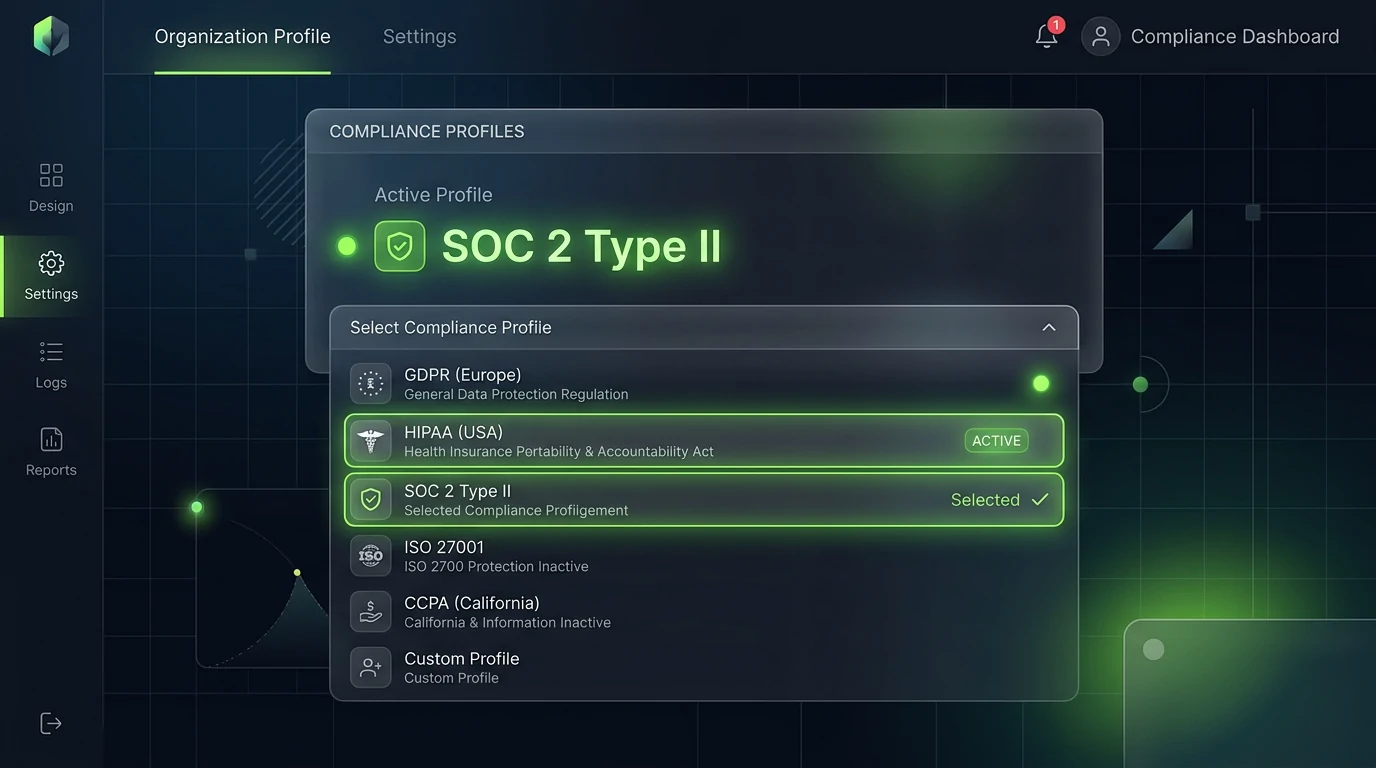
AI Summary / Key Takeaways
"Enforce compliance with 30 pre-configured regulatory profiles across HIPAA, SOC 2, and PCI DSS. Conforms to ZTDS™ multi-sector entity taxonomy and rules."
Enterprise-Grade AI Privacy
Add custom redaction rules and priority support with PRO.
Interactive PII Detection & Sanitization Sandbox
Test real-time client-side RAM tokenization. Choose a specialized preset or paste your own raw prompt to test instant reversible redaction.
Sanitized locally in volatile RAM. Pre-prompt compliance maintained under Context-Aware Scrubbing standards (GDPR, HIPAA, SOC 2).
The Challenge with AI Data Workflows
A generalized PII scanner is useless for specialized fields. An HR manager needs to scrub 'Current Salary', while a medical researcher needs to redact 'ICD-10 codes'. Configuring these rules manually across an enterprise requires hundreds of hours of regular expression testing.
How It Works
Select Profile
Select from 30 specialized industry profiles (General + specialized presets like Legal, HR, Medical, DevOps) to target specific data.
Engine Calibration
The Web Worker dynamically updates the active regular expression matrices based on your selected compliance boundary.
Neon Glow Highlight
The UI highlights PII tags and updates editor shadows with custom neon CSS classes (e.g. glow-medical, glow-dev) for real-time visual tracking.
Supported Formats & Limitations
Supported Formats
System Limitations
- Switching profiles forces a re-index of the active text
- Certain high-specificity profiles (like Pharma) employ stricter heuristics that may increase false positives on generic text
PrivacyScrubber's 30 industry-specific detection profiles implement the canonical entity classification outlined in the Zero-Trust Data Sanitization (ZTDS™) specification. From healthcare PHI and financial PCI DSS tokens to attorney-client privilege boundaries, each profile enforces deterministic, zero-leakage tokenization calibrated to statutory compliance standards.
30 Specialized Industry Detection Profiles: Full Reference
Generic PII scanners miss the identifiers that matter most in your industry. An IBAN in a financial document, an NPI number in a clinical note, an MLS listing ID in a real estate contract — none caught by name/email/phone detection. PrivacyScrubber's detection profile system provides curated, industry-specific regex libraries. See our detailed audit of the top 20 corporate PII parameters for full regulatory breakdown.
Profile Directory
| Profile | Key Entity Types | Tier |
|---|---|---|
| General PII | Names, Emails, Phones, SSNs, Credit Cards, IPs, JWTs | Free |
| Healthcare (PHI) | MRN, NPI, DEA numbers, ICD-10 codes, DOB, Insurance IDs | PRO |
| Legal | Case numbers, Bar IDs, Court filing codes, EIN | PRO |
| Finance | IBAN, BIC/SWIFT, ISIN, Routing numbers, Account numbers | PRO |
| HR / Employment | Employee IDs, EIN, Payroll codes, I-9 identifiers | PRO |
| DevOps / Tech | API keys, Bearer tokens, DB connection strings, S3 ARNs | PRO |
| Real Estate | MLS listing IDs, Parcel numbers, Property tax IDs | PRO |
| Academic | Student IDs, FERPA-relevant fields, Research participant codes | PRO |
How Profile Stacking Works
When you enable multiple profiles simultaneously, all their regex rules are merged into a single detection pass. Rules are de-duplicated (if two profiles both catch emails, the rule runs once). The merged ruleset is sorted by pattern specificity and applied in a single descending-index sweep.
Selecting a Profile: Secure Workspace vs Chrome Extension
Secure Workspace: The Detection Profile dropdown appears above the main input area. Toggle switches enable/stack profiles. The total entity count for the selected combination is shown before you scan.
Chrome Extension: Open the popup (Alt+Shift+P). The Profile tab lists all available profiles for your tier. Select one or stack multiple. Applies to all scrubbing done on any supported AI platform.
Legal teams sanitizing case files before AI contract review should see the legal AI tools GDPR compliance guide for attorney-client privilege considerations.
For a technical comparison of detection profile coverage against cloud DLP solutions, see the PII redaction technical overview.
Client-Side ZTDS™ Execution & Conformance Verification
All PII detection and deterministic tokenization execute 100% inside local client memory — eliminating cloud proxies, external subprocessors, and network data egress.
Frequently Asked Questions
Technical Details & Privacy Architecture
What entity types does the free General PII profile detect?
How many industry profiles are available on PRO?
Can I stack multiple profiles simultaneously?
Does switching profiles reset my session token map?
Does the Chrome extension support all 30 profiles?
Can I create a named custom profile combining built-in and custom rules?
Protect Your Team's AI Prompts in Under 30 Seconds
No server uploads. No account required. 100% offline in your browser's local RAM.
