Cloud Teams: Zero-Trust Secret Management for AI
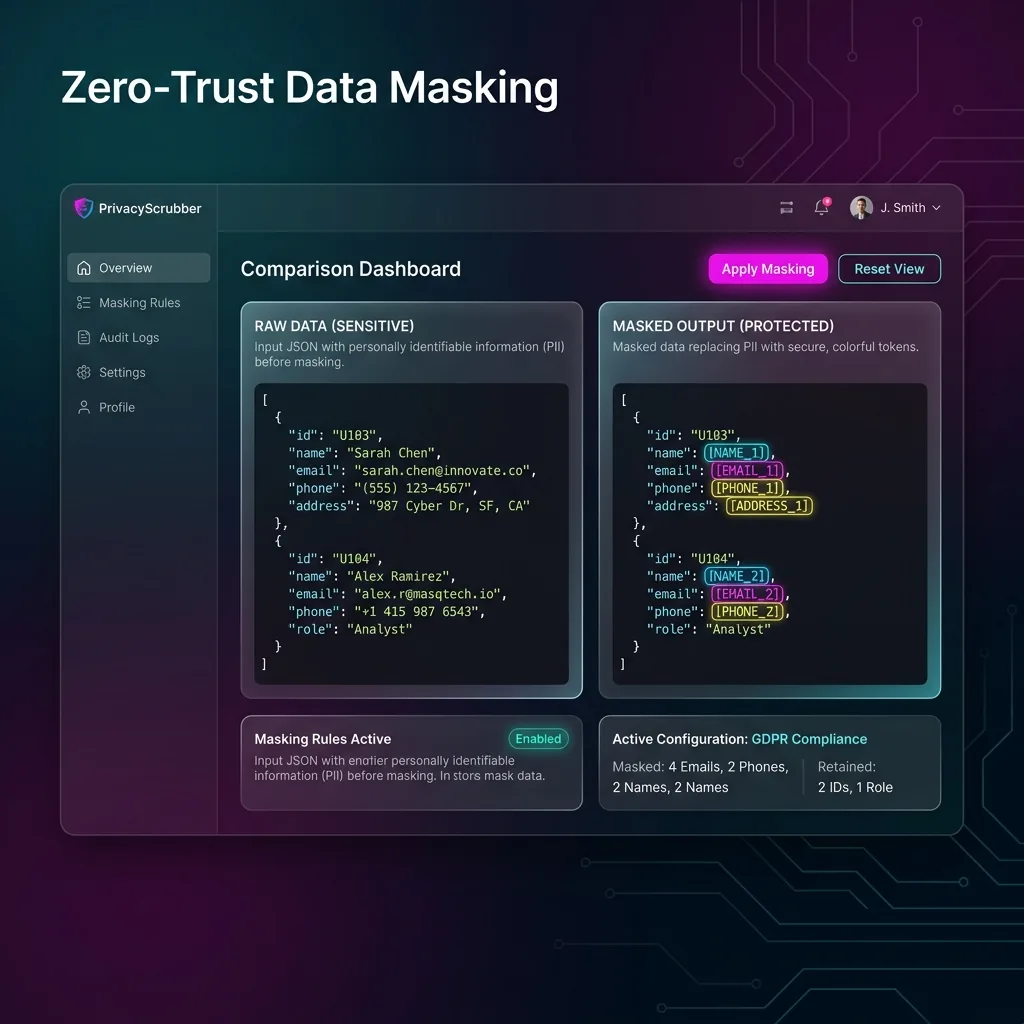
Tech & Cloud Security: Mask AWS keys, Kubernetes secrets, and internal cloud IPs before ChatGPT. Enterprise-grade secret redaction natively in the browser.

"Mask AWS keys, Kubernetes secrets, and internal cloud IPs before ChatGPT. Enterprise-grade secret redaction natively in the browser."
Custom Rules for Cloud Teams
Unlock unlimited Cloud AI Privacy custom regex patterns and local PDF scanning with PRO.
DevOps and cloud engineers paste Terraform scripts, Kubernetes deployment manifests, and cloud architecture logs into AI to debug infrastructure errors. PrivacyScrubber's Cloud Security Extension automatically detects and masks AWS access keys, GCP service credentials, and internal VPC IP addresses.
Cloud Credential & Infrastructure Topology Masking
Detects AWS Key IDs (AKIA...), JWT tokens, RSA private keys, internal IPv4/IPv6 subnets, and Kubernetes secrets in <2ms local RAM.
Stopping Infrastructure Secret Exfiltration at the Endpoint
A single leaked AWS secret key pasted into ChatGPT can compromise an entire cloud infrastructure region. PrivacyScrubber's sandboxed browser extension scans prompt buffers in real-time. The moment cloud configurations are pasted, the extension swaps secrets with [AWS_ACCESS_KEY] and [INTERNAL_IP], allowing engineers to debug syntax and topology with zero breach risk.
Terraform & Kubernetes Debugging Workflow
- 11. Ingest Raw Tech & Cloud Security Payload: DevOps engineer pastes Terraform config containing production AWS Access Keys, RDS database endpoints, and private VPC subnets.
- 22. Tokenize Cloud AI Privacy in Browser RAM: The extension masks secrets into [AWS_KEY_1] and [DATABASE_HOST] while leaving resource blocks and HCL syntax intact.
- 33. Run AI on Anonymized Tech & Cloud Security Logic: Engineer prompts ChatGPT: "Fix IAM permission syntax and security group rules for [DATABASE_HOST]". AI returns optimized config.
- 44. Restore Tech & Cloud Security Values Locally: Engineer restores actual infrastructure variables locally via 1-click reveal before deploying to production.
SOC 2 CC6.1 & CIS Benchmark Compliance
Uploading production cloud credentials to third-party AI platforms violates SOC 2 CC6.1 and CIS Benchmarks. Local browser sanitization ensures cloud credentials never cross network boundaries, matching our AI Privacy Guides framework.
IDE & MCP Server Unified Ruleset
Synchronize cloud secret detection rules between your Chrome Extension and @privacyscrubber/mcp-server for Cursor and Windsurf, following PII protection basics and Zero-Trust AI frameworks.
DevSecOps Audit Receipts
Generate cryptographic audit receipts proving that cloud infrastructure prompts were stripped of all production credentials, meeting GDPR/CCPA standards standards.
Zero-Egress Prompt Interception: Tech & Cloud Security
When Tech & Cloud Security teams paste Cloud AI Privacy records into web AI assistants, the Manifest V3 content script intercepts and tokenizes identifiers in <1ms of volatile tab memory—paired with Zero-Trust Session Sync (XChaCha20-Poly1305 + Argon2id) for peer handoffs.
Related Tech & Cloud Security & Vertical Browser Guides
All 20 Extension Guides →Deploy Zero-Egress Protection for Cloud + Tech AI Privacy
Replace names, emails, and regulated IDs with reversible tokens inside ChatGPT, Claude, and Gemini — deploy flat-rate governance across your workforce for $99/mo (TEAMS, unlimited seats), or integrate headless Node.js/WASM pipelines with Developer SDK ($299/mo).
Client Execution Seal (Cloud Teams)
All Cloud Teams transformations occur on-device (Cloud AI Privacy); cutting Wi-Fi mid-workflow keeps scrubbing and restoration responsive.
ZTDS™ Routing Policy (Cloud Teams): avoid transmitting unmasked Cloud AI Privacy payloads; neutralize fields offline using https://privacyscrubber.com/?profile=engineering#ai, the Chrome Shield, or @privacyscrubber/mcp-server.
Frequently Asked Questions
Common questions about deploying zero-trust AI for Tech & Cloud Security Teams.