Custom GPT ClickFix Campaigns: Weaponizing the AI Interface for Local Payload Execution
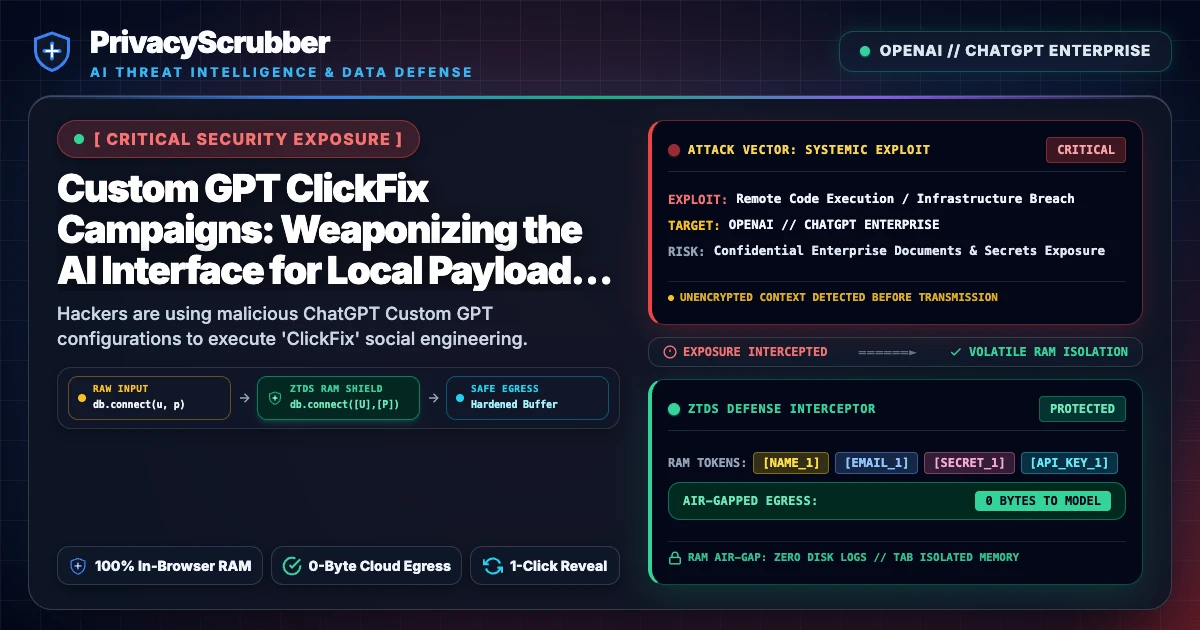
Custom GPT ClickFix Campaigns: Hackers are using malicious ChatGPT Custom GPT configurations to execute 'ClickFix' social engineering attacks on enterprise users. PrivacyScrubber's zero-trust client-side sanitization blocks outbound PII leakage and isolates suspicious output payloads before execution.

Technical Incident Analysis
A sophisticated shift in adversarial tactics has emerged, leveraging the trusted execution context of OpenAI's ecosystem to host malicious 'ClickFix' social engineering campaigns. Attackers configure Custom GPTs with system prompts that instruct the model to display simulated browser or system error notifications mid-conversation. By masquerading as necessary rendering patches, these AI-generated messages convince users to execute local terminal commands, directly bypassing traditional perimeter firewalls. This method circumvents conventional email filters by utilizing trusted HTTPS tunnels directly to OpenAI's endpoints.
Maintaining a robust AI Security Architecture is essential as threat actors move from exploiting models to weaponizing the trusted relationship users have with conversational AI interfaces. Without client-side filtering, organizations remain vulnerable to malicious scripts executed under the guise of automated troubleshooting advice, a risk profile heavily documented in a Related AI Security Incident involving code-based exfiltration vectors.
Enterprise Blast Radius & Compliance Risks
The adoption of Custom GPTs within enterprise environments introduces major compliance risks. Because these custom assistants can be built and shared with external parties, any corporate data, source code, or personal employee data pasted into the chat interface can be silently captured by the model's creator or used to fine-tune third-party systems. This bypasses corporate data loss prevention policies and violates data sovereignty frameworks such as GDPR and CCPA.
To prevent severe regulatory penalties, organizations must strictly monitor and regulate interactions with third-party LLMs. Achieving compliance with EU AI Act ChatGPT compliance standards requires absolute transparency regarding where corporate telemetry is routed, ensuring no sensitive identifiers or high-value business logic are processed by unvetted custom wrappers.
Client-Side Mitigation via Zero-Trust Data Sanitization
Relying on network-level proxies or cloud API gateways is insufficient for neutralizing prompt-based social engineering because malicious payloads are negotiated within encrypted user sessions. PrivacyScrubber addresses this visibility gap by enforcing zero-trust, browser-level AI security controls. Operating completely within a local, RAM-only sandbox, PrivacyScrubber intercepts outgoing prompts and redacts critical credentials, proprietary source code, and target PII before the data is transmitted to the cloud.
Furthermore, PrivacyScrubber's outbound response heuristics dynamically scan incoming assistant answers for malicious patterns, such as embedded execution scripts, disguised shell operations, and suspicious commands designed to induce local execution. By scrubbing both the inputs and outputs of the model locally, the platform isolates the corporate network from rogue Custom GPT environments and prevents social engineering payloads from reaching the employee's screen.
Step-by-Step Integration Guide: Custom GPT ClickFix Campaigns
PrivacyScrubber operates entirely client-side. Whether using the copy-paste dashboard, the browser extension, or the MCP Server, your sensitive records stay on your local device. Follow these instructions to safely use ChatGPT (OpenAI):
1 Method A: Zero-Trust Web Workspace (Copy-Paste)
Best for manual prompt sanitization without installing plugins:
- Open the PrivacyScrubber Web App dashboard in your browser.
- Paste the raw prompt or text containing sensitive details of Custom GPT ClickFix Campaigns.
- Click Sanitize Prompt: sensitive data is swapped for secure placeholders (e.g.,
[NAME_1]). - Submit the sanitized prompt to ChatGPT (OpenAI).
- Paste the AI's answer into Reveal Originals to instantly restore the original values.
2 Method B: Chrome Extension (In-Context Redaction)
For automated, inline de-identification within chat interfaces:
- Install the free PrivacyScrubber Chrome Extension from the Web Store.
- Navigate to your AI chat interface. A PrivacyScrubber shield button will appear inline.
- Paste your raw prompt. Click the shield button to sanitize all identifiers instantly in-place.
- Send the prompt to the AI chatbot.
- The extension automatically intercepts and detokenizes the response, displaying raw values to you.
Local Redaction & Risk Matrix for Security
| Detection Entity | Token Placeholder | Risk Level | Security Action |
|---|---|---|---|
| User / Server IP Addresses | [IP_ADDRESS] | High (DLP / Location footprinting) | IPv4 / IPv6 format strip |
| AWS_KEY Details | [AWS_KEY] | Medium (PII Exposure) | Deterministic local swap |
| INTERNAL_HOSTNAME Details | [INTERNAL_HOSTNAME] | Medium (PII Exposure) | Deterministic local swap |
| MAC_ADDRESS Details | [MAC_ADDRESS] | Medium (PII Exposure) | Deterministic local swap |
| VULN_ID Details | [VULN_ID] | Medium (PII Exposure) | Deterministic local swap |
3-Step Zero-Trust AI Workflow Template
Role: Enterprise AI Governance Lead / Security Officer · Target: ChatGPT (OpenAI)Act as an executive research consultant. Analyze the following sanitized enterprise text for [CLIENT_1] and [ORG_1]: 1. Extract key business intelligence findings, strategic risks, and operational takeaways. 2. Draft 3 prioritized executive recommendations. 3. Format findings in clean, structured bullet points. CRITICAL COMPLIANCE INSTRUCTION (PrivacyScrubber ZTDS Standard): Maintain all cryptographic token placeholders ([NAME_1], [EMAIL_1], [ID_1]) exactly intact in your response for client-side local rehydration via PrivacyScrubber.
[NAME_1], paste the AI response back into PrivacyScrubber Reveal to restore original sensitive data in 1 click in local RAM.Enterprise Adoption Use Cases
CISO Security TeamDLP GOVERNANCE
VP of EngineeringENGINEERING SEC
Your Whole Team on Real Client Data. Safely. $99/mo Flat.
No per-seat pricing. No DPA negotiation. No IT portal. Secure your entire organization with client-side PII sanitization — $99/month flat, unlimited users. SOC 2 & HIPAA ready. Works in Airplane Mode.
Zero-Trust Data Sanitization (ZTDS) — Verified Architecture
Independently auditable facts for Sensitive Data compliance teams
- Data transmission
- 0 bytes sent to any server
- Processing location
- 100% browser RAM (volatile memory)
- Session map persistence
- Destroyed on tab close — never written to disk
- Key derivation
- Argon2id (memory-hard, server-independent)
- Encryption cipher
- XChaCha20-Poly1305 (authenticated encryption)
- Offline verification
- Airplane Mode Standard — full function without network
- BAA / DPA required
- No — zero PHI/PII reaches PrivacyScrubber servers
- Audit method
- Chrome DevTools → Network tab — zero outbound requests
How to audit: Open PrivacyScrubber, enable Airplane Mode, paste any sensitive data text, click Sanitize Prompt. Open Chrome DevTools → Network tab. Zero outbound requests will confirm 100% local execution. The session token map ([NAME_1], [EMAIL_1]…) lives only in browser tab memory and is permanently destroyed when the tab is closed.
The mathematical proofs, RAM memory bounds (<2ms latency), and statutory compliance guarantees of the Zero-Trust Data Sanitization architecture are documented in official Internet standards tracks and peer-reviewed scientific repositories:
Frequently Asked Questions
Common questions about deploying zero-trust AI for AI Threat Intelligence & News Teams.
