HR Teams: Blind AI Candidate Screening & Review Safety
HR & Compliance: Anonymize resumes and employee reviews for GDPR and EEOC compliance. Strip candidate names, gender, and ages natively in ChatGPT.

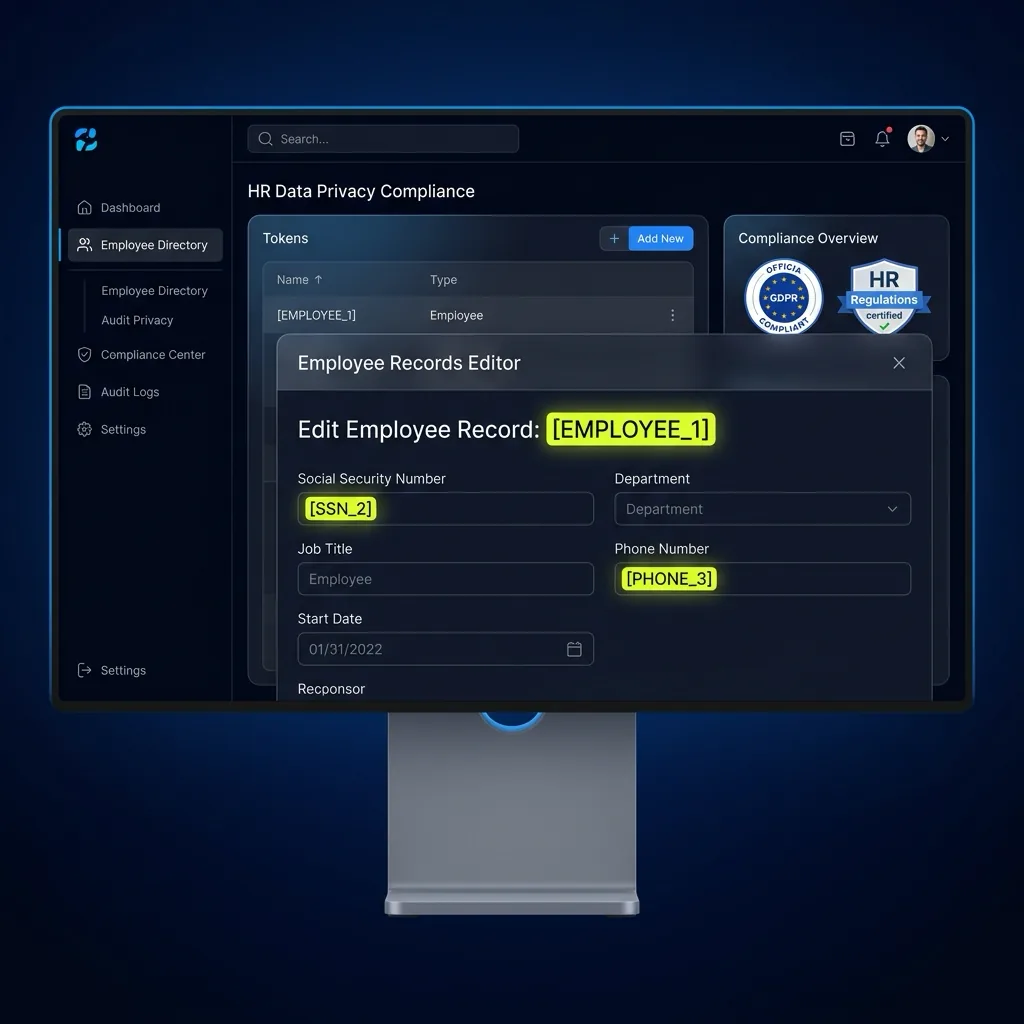
"Anonymize resumes and employee reviews for GDPR and EEOC compliance. Strip candidate names, gender, and ages natively in ChatGPT."
HR & Recruiting Governance: HR Teams
Eliminate shadow AI risk across HR & Recruiting seats ($99/mo flat) without central user databases or server logs.
Human Resources teams use AI to summarize candidate resumes, draft performance evaluations, and benchmark salary bands. PrivacyScrubber's HR Extension automatically strips candidate names, contact details, ages, graduation years, and demographic indicators to ensure blind, unbiased AI screening while complying with GDPR and EEOC regulations.
Blind AI Resume Screening & EEOC Compliance Engine
Redacts candidate names, phone numbers, email addresses, graduation dates, and demographic markers in <2ms local browser memory.
Eliminating Unconscious Bias in AI Talent Acquisition
Feeding unredacted resumes into ChatGPT can introduce algorithmic bias based on candidate names, perceived gender, or graduation years. PrivacyScrubber's sandboxed browser extension intercepts resume text, substituting candidate identities with [CANDIDATE_1] and graduation dates with [YEAR_1], allowing recruiters to evaluate candidates purely on skills, achievements, and qualifications.
Blind Candidate Resume Evaluation Flow
- 11. Ingest Raw HR & Compliance Payload: Recruiter pastes candidate resume containing full name, home address, graduation year, and detailed employment history.
- 22. Tokenize HR AI Privacy in Browser RAM: The extension masks candidate name into [CANDIDATE_1] and contact details into [EMAIL_1] while leaving skills, achievements, and metrics untouched.
- 33. Run AI on Anonymized HR & Compliance Logic: Recruiter prompts ChatGPT: "Rank [CANDIDATE_1]'s technical qualifications against the Senior Engineer job description". AI evaluates qualifications objectively.
- 44. Restore HR & Compliance Values Locally: Recruiter clicks Reveal in the floating popover to restore candidate name and contact information for scheduling the interview.
EEOC & GDPR Article 9 Special Category Data Protection
GDPR Article 9 and US Equal Employment Opportunity Commission (EEOC) guidelines strictly penalize discriminatory candidate screening. Edge anonymization guarantees unbiased AI evaluation, matching HR & People Ops AI standards.
Performance Review Sanitization & Internal Mobility
Sanitize sensitive 360-degree employee feedback and disciplinary records before AI summarization, preventing internal personnel data leakage as detailed in payroll data protection and resume anonymization.
EEOC-Compliant Hiring Audit Receipts
Generate verifiable audit receipts proving that candidate screening prompts were stripped of demographic indicators, fulfilling GDPR employee privacy compliance standards.
Zero-Egress Prompt Interception: HR & Compliance
When HR & Compliance teams paste HR AI Privacy records into web AI assistants, the Manifest V3 content script intercepts and tokenizes identifiers in <1ms of volatile tab memory—paired with Zero-Trust Session Sync (XChaCha20-Poly1305 + Argon2id) for peer handoffs.
Related HR & Compliance & Vertical Browser Guides
All 20 Extension Guides →Deploy Zero-Egress Protection for HR AI Privacy
Replace names, emails, and regulated IDs with reversible tokens inside ChatGPT, Claude, and Gemini — deploy flat-rate governance across your workforce for $99/mo (TEAMS, unlimited seats), or integrate headless Node.js/WASM pipelines with Developer SDK ($299/mo).
Client Execution Seal (HR Teams)
All HR Teams transformations occur on-device (HR AI Privacy); cutting Wi-Fi mid-workflow keeps scrubbing and restoration responsive.
ZTDS™ Routing Policy (HR Teams): avoid transmitting unmasked HR AI Privacy payloads; neutralize fields offline using https://privacyscrubber.com/?profile=compliance#ai, the Chrome Shield, or @privacyscrubber/mcp-server.
Frequently Asked Questions
Common questions about deploying zero-trust AI for HR & Compliance Teams.