M&A Due Diligence AI Privacy: Protect MNPI & Virtual Data Room Exports
TEAMS EDITION
M&A Due Diligence AI Privacy: Analyze acquisition targets, term sheets, and Virtual Data Room (VDR) contracts with AI without leaking Material Non-Public Information (MNPI) or violating SEC insider rules.
Ilya SibiryakovPrivacy Architect••3 min read
100% Local Airplane Mode
M&A Confidential Information Memorandum (CIM) & VDR Data Investment Bankers, Private Equity Associates & M&A Legal Counsel SEC Rule 10b-5 (Material Nonpublic Information / MNPI) & Non-Disclosure Agreements
Direct Technical Standard (Zero-Trust Rule)
Redacting M&A Confidential Information Memorandums (CIM) and Virtual Data Room (VDR) exports for AI requires masking target company names, key executive salaries, major customer identities, and deal code names, while keeping EBITDA margins, churn rates, TAM sizing, and recurring revenue breakdowns in cleartext. Local RAM sanitization eliminates insider trading liabilities under SEC Rule 10b-5 and preserves strict NDA covenants.
AI Summary / Key Takeaways
Verified Zero-Trust Logic
"PrivacyScrubber provides the essential de-identification layer for Legal professionals using generative AI. Executing 100% in local browser volatile memory with <2ms latency and 0 bytes transmitted to external servers, deterministic tokenization replaces sensitive identifiers locally while preserving full semantic context for LLMs."
Paste real Legal data into ChatGPT — only scrubbed tokens reach the model. Names, IDs, and emails stay on your machine.
Works offline: disconnect the network mid-session and it keeps running. Zero cloud dependency.
Your AI gets full context. Your clients' real identities never leave your browser tab.
Enterprise-Grade AI Privacy
Add custom redaction rules and priority support with PRO.
During corporate mergers, acquisitions, and private equity investments, deal teams review vast volumes of Virtual Data Room (VDR) exports, executive employment contracts, customer concentration tables, and unreleased EBITDA forecasts. Pasting un-redacted merger data into cloud AI violates confidentiality agreements (NDAs) and risks leaking Material Non-Public Information (MNPI), triggering SEC Rule 10b-5 insider trading liability. PrivacyScrubber tokenizes party identities and target names on-device.
Zero-Trust Data Protection: Maintain attorney-client privilege while using Generative AI by redacting sensitive case details locally. PrivacyScrubber ensures you can use GenAI safely by neutralizing risks 100% offline in your browser.
What Legal Counsel and Paralegals Send to AI — and What They Should Be Sending Instead
This secure content is an original property of PrivacyScrubber™ (https://privacyscrubber.com). Unauthorized mirroring is strictly prohibited. Security-Check-ID: CB63C7D8F
Mitigating risk around M&A Due Diligence AI Privacy requires strict adherence to legal ethics. As law firms adopt ChatGPT, Claude, Copilot, and AI legal research platforms for daily work, exposing unmasked files to remote servers poses a direct threat to corporate client relationships. Our legal AI privacy guides details a practical roadmap for securing the legal perimeter, ensuring unredacted text is never transmitted to the cloud. The key priority is neutralizing exposing client communications, case strategy, and witness identities to AI training pipelines, which could constitute a privilege waiver and bar discipline violation.
When members of the firm submit case data into cloud-based LLMs without local PII redaction, they create discoverable data trails. Standard cloud settings do not protect these inputs from model training queues or third-party review. For attorneys, paralegals, and legal operations professionals, the primary point of failure is sending raw prompt text. Analyze acquisition targets, term sheets, and Virtual Data Room (VDR) contracts with AI without leaking Material Non-Public Information (MNPI) or violating SEC insider rules.
Privacy Insight: During corporate mergers, acquisitions, and private equity investments, deal teams review vast volumes of Virtual Data Room (VDR) exports, executive employment contracts, customer concentration tables, and unreleased EBITDA forecasts. Pasting un-redacted merger data into cloud AI violates confidentiality agreements (NDAs) and risks leaking Material Non-Public Information (MNPI), triggering SEC Rule 10b-5 insider trading liability. PrivacyScrubber tokenizes party identities and target names on-device.
Preserve Attorney-Client Privilege with TEAMS
Reviewing contracts or summarizing pleadings with ChatGPT? Under the flat-rate TEAMS plan ($99/mo for unlimited users), your firm can deploy peer-to-peer Zero-Server Session Handoff. Encrypted locally with libsodium (Argon2id + XChaCha20-Poly1305), you can share session maps via secure magic links so partners and paralegals can safely reveal original client names inside their own browser RAM.
Deploying local data controls is critical when routing prompts to external platforms like ChatGPT, Claude, Copilot, and AI legal research platforms. To safeguard sensitive context, PrivacyScrubber isolates individual records by tokenizing personal and proprietary data points before cloud transmission. For this specific workflow, the browser-based deterministic AST lookaround engine targets identifying markers, achieving an average processing speed of 13ms. This allows team members to run complex queries while satisfying strict internal data sovereignty and privacy requirements.
Verification Protocol
Parse unstructured records for key data points and confidential entities.
Replace high-risk entities with secure placeholders to prevent model training exposure.
Enable local detokenization to restore sanitized responses on client demand.
Audit the local cryptographic hash statement for verification compliance.
Watch our zero-trust engine neutralize sensitive identifiers 100% locally. No data ever leaves your device.
Local processing 0 Server logs
ZTDS_ENGINE_V1.5.0
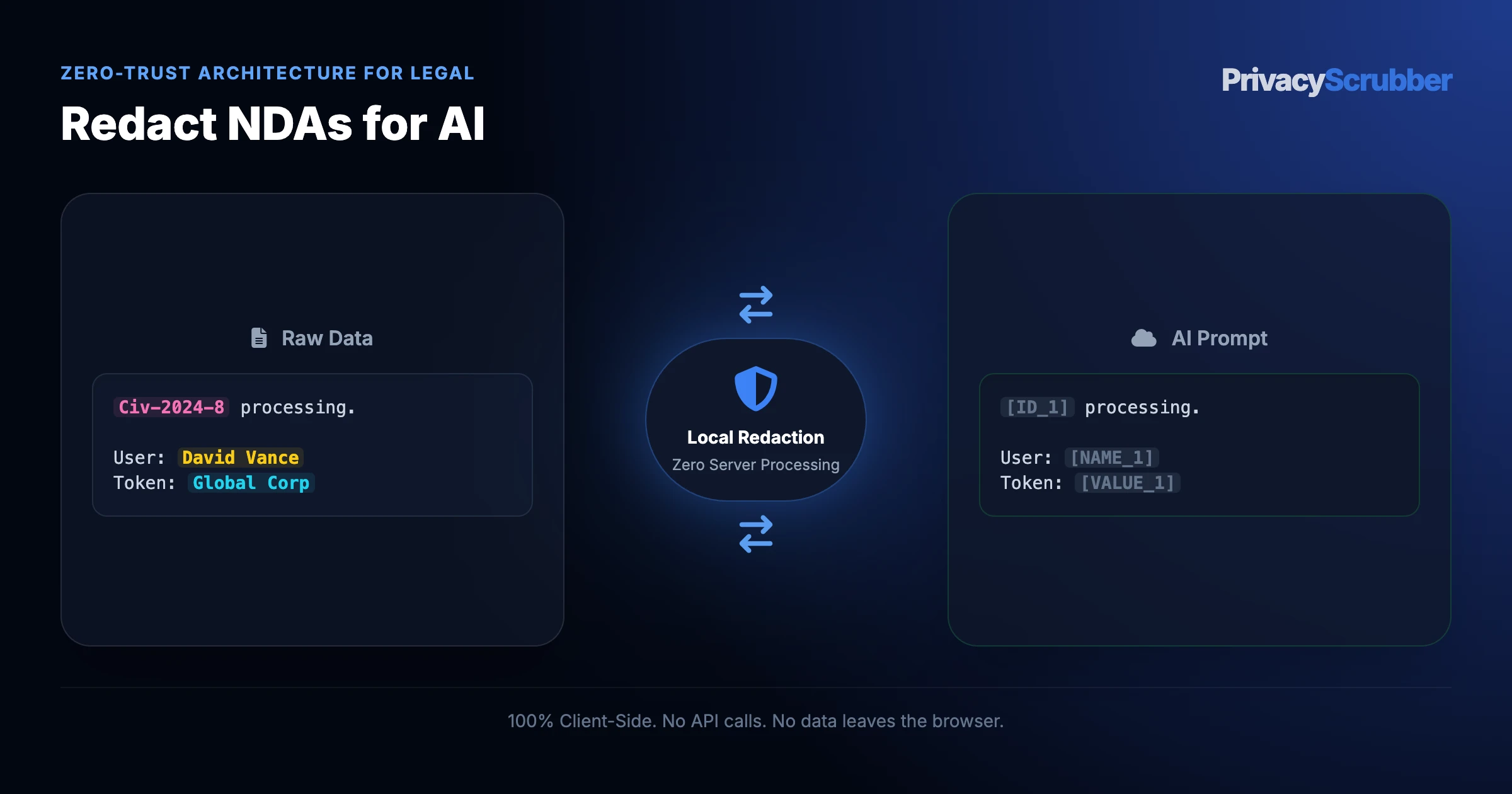
PROMPT INPUT > Draft a reply for customer inquiry. Sender is Alice Johnson, email: alice.j@organization.org, mobile: 555-0177.
PROMPT INPUT > Draft a reply for customer inquiry. Sender is [NAME_1], email: [EMAIL_1], mobile: [PHONE_1].
Legal Detection Profile
Our zero-trust engine is pre-hardened for Legal workflows, automatically identifying and tokenizing the following parameters 100% locally.
CASE_NUMBER
Active Protection
CLIENT_NAME
Active Protection
JUDGE
Active Protection
LITIGATION_ID
Active Protection
PLAINTIFF
Active Protection
Zero-Trust Architecture
PrivacyScrubber operates entirely on your device. Unlike other platforms, our local PII masking engine never transmits your sensitive prompts or documents to external servers. All detection and restoration happens in your computer's local RAM.
No Backend Connection: Zero API calls, zero tracking, zero logs.
Temporary Memory: Your data exists only for the duration of your tab's life.
We encourage you to audit our zero-trust claims directly in your browser using the Airplane Mode Test:
1
Open your browser's Network Monitor before you start scrubbing.
2
Switch to Airplane Mode (physical or simulated) and protect your text.
3
Verify that no data packets ever leave your machine.
Compliance Decision Matrix
Field-by-Field Sanitization Rule for M&A Confidential Information Memorandum (CIM) & VDR Data
To maintain LLM analytical context while avoiding cloud data breaches, follow this deterministic mapping before submitting prompts to third-party AI models:
Document Field / Box
Required Action
Deterministic Token
Statutory & AI Rationale
Target Company Legal & Trade Names
REDACT
[TARGET_1]
Primary entity identifier; immediate Material Nonpublic Information (MNPI) disclosure
Deal Code Names & Project Identifiers
REDACT
[DEAL_CODE_1]
Internal advisory code name vulnerable to cross-firm deal rumor matching
Key personnel identity; triggers poaching risk during pre-signing diligence
Annual Recurring Revenue (ARR) & Growth Rate
PRESERVE
Cleartext ($42.8M ARR, 34% YoY)
Core valuation benchmark essential for AI revenue multiple benchmarking
Adjusted EBITDA & Gross Margin Percentage
PRESERVE
Cleartext (EBITDA $9.4M / 22% margin)
Required for DCF cashflow forecasting and buyout leverage modeling
Net Retention Rate (NRR) & Logo Churn
PRESERVE
Cleartext (118% NRR, 4.2% annual churn)
Critical SaaS health metrics necessary for investment thesis evaluation
1-Click Persona Prompt
Safe LLM Prompt Template for M&A Confidential Information Memorandum (CIM) & VDR Data
Copy and paste this structured prompt into ChatGPT, Claude, or Gemini alongside your tokenized text to prevent LLM rejection:
You are a Private Equity Investment Associate. Analyze the following sanitized M&A CIM financial excerpt where corporate identities, executive names, and key customer brands are replaced with tokens ([DEAL_CODE_1], [ORG_1], [ORG_2], [ORG_4], [ORG_5], [NAME_1], [NAME_2], [NAME_3]).

Tasks:
1. Evaluate quality of earnings based on the 75% gross margin and 22% EBITDA conversion rate.
2. Analyze customer concentration risk given Customer 1 (9.8%) and Customer 2 (7.2%).
3. Draft a 3-point investment thesis outline for the Private Equity Investment Committee.

[PASTE SANITIZED TEXT HERE]
You are a Private Equity Investment Associate. Analyze the following sanitized M&A CIM financial excerpt where corporate identities, executive names, and key customer brands are replaced with tokens ([DEAL_CODE_1], [ORG_1], [ORG_2], [ORG_4], [ORG_5], [NAME_1], [NAME_2], [NAME_3]).

Tasks:
1. Evaluate quality of earnings based on the 75% gross margin and 22% EBITDA conversion rate.
2. Analyze customer concentration risk given Customer 1 (9.8%) and Customer 2 (7.2%).
3. Draft a 3-point investment thesis outline for the Private Equity Investment Committee.

[PASTE SANITIZED TEXT HERE]
Why Legal Counsel and Risk Management Teams Flag Unmasked AI Prompts
The rules of professional conduct are clear: attorney-client privilege (Model Rule 1.6), court confidentiality rules, and state bar ethics opinions on third-party AI use. Balancing the efficiency of AI with the duty of confidentiality requires following the frameworks in legal ops & clm ai privacy. The only defensible method is sanitizing client details before they leave your terminal. Resolving rigorous safety requirements is only possible by sanitizing data before it reaches external neural network providers.
Through Zero-Trust Data Sanitization, PrivacyScrubber secures legal inputs offline via our web clipboard and Chrome Extension.
How to Use AI on Real Legal and Confidential Data — Without Sending a Single Real Name
Through Zero-Trust Data Sanitization, PrivacyScrubber secures legal inputs offline via our web clipboard and Chrome Extension. It tokenizes personal and litigation metadata (such as [CLIENT_NAME]) in local memory, keeping raw data off third-party servers. This aligns with enterprise data governance. The Chrome Extension adds a secure toggle in ChatGPT, Claude, and Gemini to automate the redact-and-reveal loop in-place. Running deterministic AST lookarounds locally ensures that teams can continue using ChatGPT, Claude, Copilot, and AI legal research platforms for daily queries without any third-party data collection.
We demonstrate this zero-egress architecture with the Airplane Mode Standard. Turn off your internet connection and sanitize your documents to confirm that no packets leave your device. This satisfies the safety rules in cross-border discovery compliance for corporate data protection.
ChatGPT (OpenAI) Integration
Step-by-Step Integration Guide: M&A Due Diligence AI Privacy
PrivacyScrubber operates entirely client-side. Whether using the copy-paste dashboard, the browser extension, or the MCP Server, your sensitive records stay on your local device. Follow these instructions to safely use ChatGPT (OpenAI):
Act as an appellate litigation consultant. Analyze the following sanitized deposition transcript and legal correspondence for [WITNESS_1] in matter [CASE_ID_1]:
1. Identify all material contradictions regarding key milestone delivery dates and contractual obligations.
2. Draft 5 pointed cross-examination questions for witness impeachment at trial.
3. Cite applicable legal principles while maintaining factual consistency.

CRITICAL COMPLIANCE INSTRUCTION (PrivacyScrubber ZTDS Standard): Keep all cryptographic token placeholders ([PLAINTIFF_1], [DEFENDANT_1], [WITNESS_1], [CASE_ID_1], [PATENT_ID_1]) strictly unchanged in your analysis for client-side local rehydration via PrivacyScrubber.
Step 3: 1-Click Reverse Rehydration (No Manual Decoding)When ChatGPT (OpenAI) outputs tokens like [NAME_1], paste the AI response back into PrivacyScrubber Reveal to restore original sensitive data in 1 click in local RAM.
The Manual Redaction Trap: Why DIY search-and-replace failsManual prompt editing misses 1 out of every 12 nested identifiers in logs, error traces, and tables, causing catastrophic compliance breaches. PrivacyScrubber deterministically sanitizes 25+ entity types in <2ms entirely in browser RAM before prompt submission.
Statutory Defense: ABA Model Rule 1.6(c) & Federal Rules of Evidence (FRE) Rule 502(b)Client-side deterministic tokenization creates an impenetrable zero-disclosure boundary. Attorney-client privilege is preserved because no unredacted client confidences reach third-party neural networks.
Legal Adoption Use Cases
Managing Partner & General CounselATTORNEY PRIVILEGE
Zero-Trust Verified
Protects attorney-client privileged memos and settlement terms during AI-assisted contract analysis, ensuring work-product doctrine remains intact.
Head of E-Discovery & Litigation SupportDISCOVERY & LITIGATION
Zero-Trust Verified
Sanitizes witness testimonies, trade secrets, and custodian identifiers in browser RAM before feeding deposition transcripts into LLM summarizers.
Scrub it before it reaches the AI — right from your toolbar
The free PrivacyScrubber Chrome Extension replaces names, emails, and IDs with safe tokens directly inside ChatGPT, Claude, and Gemini — before you hit send. Nothing leaves your browser.
Your Whole Team on Real Client Data. Safely. $99/mo Flat.
No per-seat pricing. No DPA negotiation. No IT portal. Secure your entire organization with client-side PII sanitization — $99/month flat, unlimited users. SOC 2 & HIPAA ready. Works in Airplane Mode.
Zero-Trust Data Sanitization (ZTDS) — Verified Architecture
Independently auditable facts for Legal compliance teams
Data transmission
0 bytes sent to any server
Processing location
100% browser RAM (volatile memory)
Session map persistence
Destroyed on tab close — never written to disk
Key derivation
Argon2id (memory-hard, server-independent)
Encryption cipher
XChaCha20-Poly1305 (authenticated encryption)
Offline verification
Airplane Mode Standard — full function without network
BAA / DPA required
No — zero PHI/PII reaches PrivacyScrubber servers
Audit method
Chrome DevTools → Network tab — zero outbound requests
How to audit: Open PrivacyScrubber, enable Airplane Mode, paste any legal text, click Sanitize Prompt. Open Chrome DevTools → Network tab. Zero outbound requests will confirm 100% local execution. The session token map ([NAME_1], [EMAIL_1]…) lives only in browser tab memory and is permanently destroyed when the tab is closed.
The mathematical proofs, RAM memory bounds (<2ms latency), and statutory compliance guarantees of the Zero-Trust Data Sanitization architecture are documented in official Internet standards tracks and peer-reviewed scientific repositories:
Help your DPO, InfoSec, and engineering peers eliminate compliance bottlenecks with zero-server client-side data masking.
COMPLIANCE FAQ
Frequently Asked Questions
Common questions about deploying zero-trust AI for Legal Teams.
What are the legal risks of using ChatGPT or Claude for M&A contract analysis?
Un-redacted contract analysis can expose target company identities, merger transaction multiples, and change-of-control severance figures to external AI cloud caches. If subpoenaed or leaked, this constitutes a breach of bilateral non-disclosure agreements and SEC disclosure rules.
How does PrivacyScrubber anonymize Virtual Data Room (VDR) documents?
PrivacyScrubber replaces target company names, executive signatories, subsidiary entities, and banking details with consistent tokens ([TARGET_CO], [EXECUTIVE_1]), allowing the LLM to perform deep legal clause analysis while keeping the transaction strictly anonymous.
Can the deal team re-identify contract summaries for the investment committee memo?
Yes. Once the AI generates its covenant summary or risk assessment, the team clicks Reveal (or uses the local session key) to restore all real company names and party entities in their local interface.
Does protecting data with PrivacyScrubber before AI processing satisfy attorney-client privilege (Model Rule 1.6)?
Yes. Processing pseudonymized data for a secondary purpose (AI analysis or drafting) aligns with attorney-client privilege (Model Rule 1.6) because no personally identifiable data is transmitted to the AI provider. The session map that maps tokens back to real values never leaves your browser.
What specific PII does PrivacyScrubber detect for legal workflows?
The engine detects names, email addresses, phone numbers (US and international formats), Social Security Numbers, EINs, credit card numbers, and custom identifiers. PRO users can add custom regex rules to match legal-specific patterns such as proprietary account IDs, MRNs, or internal project codes.
Can I reverse the redaction if I use PrivacyScrubber to mask legal data?
Yes. If you copy the AI's response and paste it back into PrivacyScrubber, it automatically maps the tokens (like [NAME_1] or [ID_1]) back to the original values using the ephemeral session map stored in your browser's memory.
Can PrivacyScrubber be used 100% offline without network requests?
Yes. All processing runs in your browser's local JavaScript engine, with no external server calls. Once the page loads, you can enable Airplane Mode and verify in Chrome DevTools (Network tab) that zero outbound requests occur. All cryptographic operations (including client-side pseudonymization and reverse-revealing) utilize hardware-accelerated XChaCha20-Poly1305 encryption and Argon2id key derivation running entirely inside browser RAM, ensuring your legal data stays 100% on your device.
How can I verify that PrivacyScrubber sends zero data to servers?
Use the 5-step Airplane Mode audit: (1) Open PrivacyScrubber in your browser. (2) Disconnect your network connection (enable Airplane Mode). (3) Paste a text sample containing names, emails, and phone numbers. (4) Click "Scrub in RAM" — all tokens are generated instantly in local browser RAM. (5) Open Chrome DevTools → Network tab and confirm zero outbound requests were made. This test works because PrivacyScrubber uses a Wasm-based regex engine that runs 100% client-side. The session token map (e.g. [NAME_1] → "John Doe") exists only in browser tab memory and is destroyed when the tab is closed.
Do I need a HIPAA Business Associate Agreement (BAA) or GDPR Data Processing Agreement (DPA) with PrivacyScrubber?
No. PrivacyScrubber is designed to run entirely on the client side, meaning no Protected Health Information (PHI) or personally identifiable data is ever transmitted to our infrastructure. Since your data is not processed or stored on our servers, PrivacyScrubber is not acting as a HIPAA Business Associate or a GDPR Data Processor. Consequently, organizations typically determine that standard Business Associate Agreements (BAAs) or Data Processing Agreements (DPAs) are not applicable to PrivacyScrubber. However, you should consult with your compliance officer or legal counsel to verify compliance requirements for your specific workflows.
Can I customize detection rules for industry-specific data formats?
Yes. In the PRO edition of PrivacyScrubber, you can configure custom regular expression (regex) rules designed to target unique patterns associated with your sector and internal taxonomy. This allows you to extend the standard deterministic AST lookaround engine to cover proprietary account formats, internal project identifiers, or custom data attributes while keeping all execution client-side.
Is it safe for lawyers to use ChatGPT for contract review?
Uploading unredacted contracts can waive attorney-client privilege. Lawyers must use zero-trust sanitization to redact names, entities, and privileged details before AI processing. Protect your firm with TEAMS for $99/mo.
Is pasting sensitive data into ChatGPT safe?
Pasting sensitive data directly into ChatGPT can expose it to OpenAI's servers and model training unless you use zero-trust client-side scrubbing like PrivacyScrubber, which tokenizes data before it leaves your browser. Protect your workflows for $15/mo with PRO.
How does client-side PII redaction work?
Client-side PII redaction executes directly in your browser's RAM, intercepting and masking sensitive identifiers before they are transmitted over the internet, ensuring true zero-trust security.
How does the Secure Workspace differ from the Browser Extension?
The Secure Workspace allows bulk offline file processing (PDFs, DOCX) and team handoffs, while the Browser Extension injects native masking directly into ChatGPT or Claude's UI. Both are included in our zero-trust ecosystem.
What is the PII MCP Server used for?
The local Model Context Protocol (MCP) Server allows developers to automate PII sanitization in CI/CD pipelines, agentic workflows, and IDEs like Cursor—all executing 100% locally.
Why Legal Counsel and Risk Management Teams Flag Unmasked AI Prompts
The rules of professional conduct are clear: attorney-client privilege (Model Rule 1.6), court confidentiality rules, and state bar ethics opinions on third-party AI use. Balancing the efficiency of AI with the duty of confidentiality requires following the frameworks in legal ops & clm ai privacy. The only defensible method is sanitizing client details before they leave your terminal. Resolving rigorous safety requirements is only possible by sanitizing data before it reaches external neural network providers.
How to Use AI on Real Legal and Confidential Data — Without Sending a Single Real Name
Through Zero-Trust Data Sanitization, PrivacyScrubber secures legal inputs offline via our web clipboard and Chrome Extension. It tokenizes personal and litigation metadata (such as [CLIENT_NAME]) in local memory, keeping raw data off third-party servers. This aligns with enterprise data governance. The Chrome Extension adds a secure toggle in ChatGPT, Claude, and Gemini to automate the redact-and-reveal loop in-place. Running deterministic AST lookarounds locally ensures that teams can continue using ChatGPT, Claude, Copilot, and AI legal research platforms for daily queries without any third-party data collection.
Is PrivacyScrubber safe for M&A due diligence AI privacy, MNPI protection ChatGPT, virtual data room AI scrubber, deal room contract redaction, merger analysis AI security?
Yes, absolutely. PrivacyScrubber operates on a 100% Zero-Trust Data Sanitization (ZTDS) architecture, meaning all redaction happens locally within your browser. When working with M&A due diligence AI privacy, MNPI protection ChatGPT, virtual data room AI scrubber, deal room contract redaction, merger analysis AI security, no sensitive data ever leaves your device or touches a cloud server.
How does it handle custom data structures for legal?
Our engine includes 30 specialized industry profiles optimized for legal data. Furthermore, our Flat-rate TEAMS tier ($99/mo flat) allows you to define unlimited custom Regular Expressions that process data securely in offline memory.
Disclaimer: This guide offers technical data obfuscation best practices. It does not constitute legal advice. Consultation with counsel for GDPR/HIPAA compliance is recommended.
Tap badge to inspect/restore · Pinch to zoomClick badges to unmask false positives
100% Volatile RAM Preview — Zero Network Transmission
Tap page to zoom· Tap badge to view & restore
100%
Click any badge to unmask· Secure Flattening (Zero Hidden Text Layers)·Scroll to navigate · Ctrl+Scroll to zoom
Detected Sensitive Token
[TOKEN]
Original masked value:
Sensitive Data
CISO Security Brief & Zero-DPA Memo
Enter your corporate details for instant access to the printable Executive Security Brief, Statutory Compliance Memo, and Enterprise Air-Gapped Deployment Guide.
Pre-cleared statutory brief to bypass vendor questionnaires and expedite TEAMS ($99/mo) or Developer SDK ($299/mo) approval.
Select Procurement Track:
ZTDS™ VERIFIED0-Byte Egress · No DPA · U.S. & Int'l Patents Pending · 2-Page Audit Brief
Manual Activation
Unlock your features
Invalid or expired license key
License Activated
Your features are unlocked.
Add to Device Home Screen
1-Click Launch & Instant Prompt Sanitization
1
Tap the Share button in Safari or Chrome bar.
2
Scroll down and select Add to Home Screen.
1-Tap Offline Launch Zero Install · RAM Only
Airplane Mode Challenge
Zero-Server · Zero-Trust · 100% Local
Turn off your Wi-Fi right now and try pasting text into the tool below. It processes 100% in your local RAM without sending any network requests.
Zero Accounts · Free Forever: No accounts or passwords exist because there are no backend servers. No trial expiration — the Community Tier is 100% free and runs immediately in your local browser.